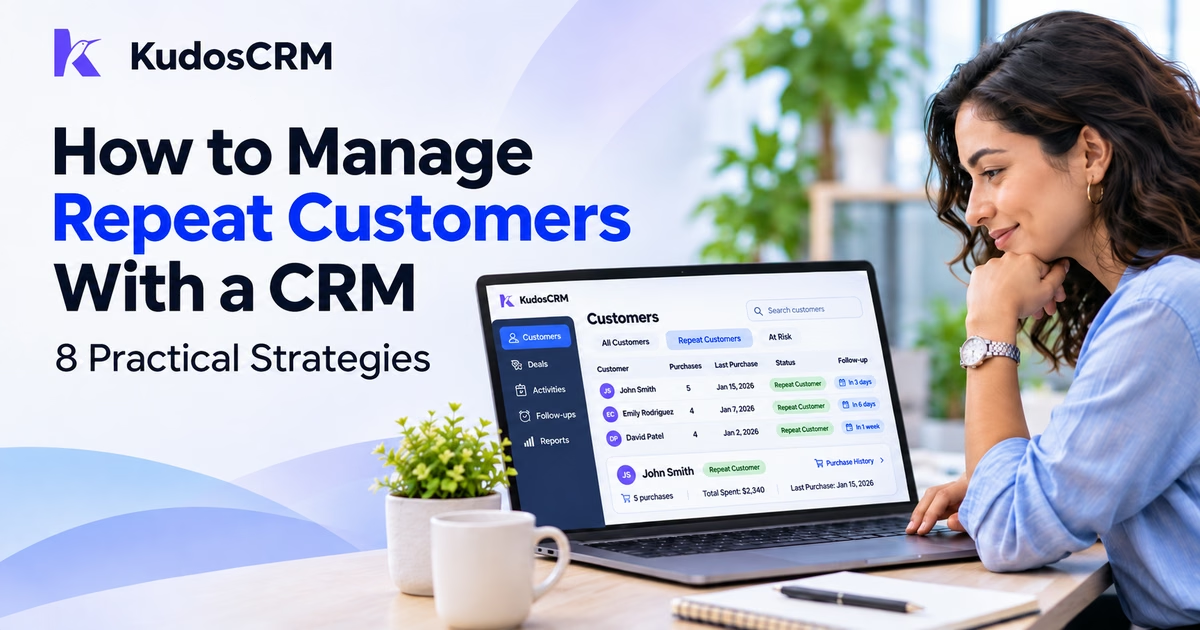

A customer buys from your business, has a good experience, and may need your product or service again. But when purchase details and follow-up activities sit in different records, your sales team can easily miss that next opportunity.
Without a clear view of purchase history, teams may send the same message to first-time buyers and loyal customers. They may also contact customers too early, reach out after the buying window has passed, or overlook accounts that regularly generate revenue.
A CRM helps you manage repeat customers by organizing purchase records, identifying returning buyers, and keeping follow-ups connected to their buying behavior. With the right process, you can encourage repeat purchases without relying on guesswork or scattered spreadsheets.
How Does a CRM Help Manage Repeat Customers?
A CRM helps manage repeat customers by connecting their contact information, purchase history, communication, and follow-up activities. Sales teams can identify returning buyers, review past transactions, organize customer groups, and plan relevant outreach based on when and what customers previously purchased.
For example, a customer who places an order every two months may need a reminder shortly before their next expected purchase. Another customer who recently purchased a business phone system may benefit from a complementary service rather than an offer to buy the same system again.
The CRM provides the customer context needed to make those decisions. The quality of the results still depends on accurate purchase data and a consistent follow-up process.
1. Connect Customer Records With Their Purchase History
Start by making sure each purchase can be traced back to the correct customer. Without that connection, your team cannot reliably tell whether someone has purchased once, several times, or not at all.
Keep the customer's identity, related transactions, sales conversations, and account ownership connected. For B2B companies, decide whether repeat purchases should be tracked at the individual contact level or at the company level.
Consider a business that works with a manufacturing company. Its purchasing manager places the first order, while the finance manager handles the second. If you count the contacts separately, the system may incorrectly identify two first-time buyers instead of one repeat customer.
A shared company record helps avoid that problem.
In KudosCRM, Contacts and Companies connect customer details with related Deals, activities, and communication history. A salesperson can review the relationship without rebuilding it from separate files.
Before analyzing repeat purchases, check that:
Each transaction belongs to the correct Contact or Company.
Duplicate customer and deal records have been reviewed.
The records distinguish completed purchases from open opportunities.
Cancelled or refunded transactions are handled consistently.
A Closed Won deal can represent a completed sale, but it does not always mean a new purchase. For example, a reopened deal or a contract amendment may not be another order. Define what counts as a purchase before using deal data to calculate buying frequency.
2. Track Purchase Dates, Frequency, and Customer Spending
Once customer records are connected, identify the information your team needs for the next sales decision.
You do not need dozens of fields. A small set of consistently maintained values is more useful than a detailed database that nobody keeps current.
Start with four:
Last Purchase Date: The date of the customer's most recent qualifying purchase.
Purchase Count: The number of qualifying purchases associated with that customer.
Total Historical Spend: The total value of completed purchases, adjusted according to your rules for refunds, discounts, and currencies.
Repeat Buyer Status: A field or tag showing whether the customer has made at least two qualifying purchases.
For example, suppose a customer purchased services worth $800, $1,200, and $1,000 across three completed orders.
Their Purchase Count would be 3, and their Total Historical Spend would be $3,000, assuming no refunds or other adjustments. Their Last Purchase Date would reflect the third transaction.
These values help a salesperson understand the buying relationship before contacting the customer.
KudosCRM supports custom CRM fields on Contacts, Companies, and Deals. Teams can use published fields in supported filters, list columns, imports, and workflow conditions.
However, custom fields are not automatically calculated totals. KudosCRM does not currently provide native custom-field rollups or allow workflows to write directly to custom fields. Purchase counts and spending totals therefore require a maintained data source, such as a validated CSV import, authorized integration, or manual update process.
Keep the underlying transaction records as the source of truth. If a purchase is cancelled or its value changes, update the derived customer data accordingly.
3. Segment Repeat Buyers by Frequency and Spending
Not every repeat customer should receive the same attention.
Someone who buys a small service every month behaves differently from someone who places a large order twice a year. Both may be valuable, but they need different follow-up approaches.
Segment customers using two separate signals: how frequently they purchase and how much they spend.
Customer group | Example criteria | Recommended action |
|---|---|---|
New repeat buyers | Two completed purchases | Follow up about their experience and relevant next needs |
Frequent buyers | Three or more purchases within 12 months | Make reordering convenient and introduce relevant complementary products |
High-spending buyers | Historical spending exceeds your chosen threshold | Prioritize account-owner outreach and tailored offers |
Overdue repeat buyers | Latest purchase exceeds their normal buying interval | Check whether they need another order or have changed suppliers |
These thresholds are illustrative. Adjust them to your business model and purchase cycle.
Frequency and spending groups can overlap. A customer may purchase often but spend relatively little, while another may place fewer, much larger orders.
Do not force both into one ranking simply because their purchase totals differ.
In KudosCRM, teams can create filtered Saved Views using supported fields, tags, dates, and other record criteria. This makes it easier to revisit customer groups without rebuilding the same filters every time.
Keep in mind that KudosCRM Audiences primarily segment Leads using supported audience fields. Custom purchase-history fields do not currently feed the Audience builder directly. For repeat-customer records, use verified Contact or Company filtering and maintained tags instead of assuming dynamic audience segmentation is available.
4. Identify Repeat Buyers and Keep Their Status Accurate
A repeat-buyer label helps salespeople recognize customers who already have a purchasing relationship with the business.
You can start with a simple rule:
Purchase Count ≥ 2 → Repeat Buyer
For example, a customer with one qualifying purchase remains a first-time buyer. When a second distinct purchase is confirmed, the customer becomes a repeat buyer.
The important part is making sure the label reflects actual transactions.
In KudosCRM, teams can use tags and bulk actions to organize customer records. For businesses handling a manageable number of orders, a salesperson can verify previous purchases and apply the Repeat Buyer tag during deal review.
For a more structured process, use the CRM's workflow automation to create a follow-up task when a deal closes.
An example workflow is:
Trigger: Deal Won
Action: Create a task for the account owner to verify whether the customer has a previous qualifying purchase.
Review: Check the relevant purchase records, confirm the buyer's identity, and update the Repeat Buyer status when appropriate.
Next step: Assign the follow-up activity based on the customer's buying history.
KudosCRM supports Deal Won triggers and task-creation actions. It also supports conditional workflow logic and tagging actions, but you should not assume a Deal Won event has already updated a custom Purchase Count field.
If you use an external process to maintain purchase totals, verify the order in which records update and workflows run before relying on an automatic tag.
Also review repeat-buyer labels when transactions are reversed or duplicate records are merged. Otherwise, a customer could remain in the wrong group even after the underlying purchase history changes.
5. Estimate When Customers Are Likely to Buy Again
Purchase history becomes more useful when you look at the time between transactions.
Instead of contacting every customer after the same number of days, estimate when each customer or customer group normally purchases again.
For example, consider this purchase history:
Purchase | Date | Days since previous purchase |
|---|---|---|
First order | January 1 | — |
Second order | March 2 | 60 |
Third order | May 1 | 60 |
The customer has purchased approximately every 60 days.
If that pattern continues, the next expected purchase would fall around the end of June. A salesperson could check in before that date, rather than waiting for the customer to become inactive.
A useful approach is to calculate the median number of days between qualifying purchases. The median reduces the influence of unusually long or short gaps.
If a customer has only one purchase, use a comparable customer group's buying cycle as a starting estimate. Avoid treating an estimated interval as a guaranteed order date.
Different products also require different timing. Office supplies may be reordered monthly, equipment may be replaced after several years, and professional services may depend on projects rather than fixed purchase cycles.
Store an expected reorder date when it is useful and maintain it as purchase patterns change. Your sales team can review date-based customer lists and create follow-up tasks for accounts approaching their expected purchase window.
The objective is not to contact everyone more frequently. It is to reach customers when the next purchase is relevant.
6. Personalize Upsell and Cross-Sell Offers Using Purchase History
Repeat customers already know your business, but that does not mean every new offer will interest them.
Use their previous purchases to decide what to recommend.
An upsell encourages a customer to choose a higher-value version of a product or service. A cross-sell introduces something complementary to what they already use.
For example, a company that recently purchased a basic service package may benefit from additional capacity as its business grows. Another customer who purchased equipment may be more interested in maintenance or compatible accessories than a second piece of the same equipment.
Review the last purchase, relevant product or service details, and previous conversations before making an offer.
A personalized message could read:
Hi Maya,
I wanted to check how the new service package is working for your team. Since you mentioned plans to expand operations, I thought our additional support option might be relevant. Would you like me to send the details?
This message gives the customer a specific reason to respond without assuming they are ready to purchase.
KudosCRM supports reusable email templates and merge tokens for supported Contact, Company, Deal, and custom fields. Teams can personalize customer messages using recorded information rather than rewriting every email.
However, a merge token can only use information that exists in the correct record and is available through the supported token picker. Review the data and send a test before using personalized messages at scale.
For high-value customers, personal outreach from the account owner may be more appropriate than a generic promotional sequence.
7. Follow Up When Customers Miss Their Expected Purchase Window
Not every customer buys again exactly when expected.
A delayed order may result from lower demand, budget changes, available inventory, or a change in the customer's requirements. Rather than immediately assuming the relationship is lost, use the expected purchase interval as a reason to check in.
Suppose a customer normally orders every 60 days but has not placed another order after 70 days. That is a reasonable point to investigate whether their needs have changed.
You can organize a short follow-up sequence around three different messages:
First touch — Check the current need
Ask whether the customer needs another order or has enough inventory or service capacity. Refer to their previous purchase where appropriate.
Second touch — Offer something relevant
Share an update, complementary option, or useful information based on what the customer purchased before. Avoid repeating the same sales message.
Third touch — Make the next step easy
Ask one direct question, offer a short conversation, or provide a simple ordering path. If the customer does not respond, pause outreach rather than continuing indefinitely.
KudosCRM's Email Sequences support timed email steps, manual tasks, sending windows, and automatic exits when a recipient replies or books a meeting. Teams can enroll appropriate contacts and track sequence activity.
However, a missed purchase date does not itself guarantee automatic sequence enrollment. The customer must be selected or enrolled through a supported process, and the purchase data must be current.
Separate this approach from a broader customer win-back campaign. A late repeat buyer may only need a timely reminder, while a customer who has genuinely ended the relationship requires a different strategy.
For a detailed approach to customers showing disengagement or cancellation risks, see our guide on reducing customer churn using CRM data.
8. Measure Repeat Purchases and Improve Your Strategy
Repeat-customer management should produce measurable results, not just more follow-up activity.
Start with repeat purchase rate. It shows what proportion of customers return for another qualifying purchase within a defined measurement window.
Repeat Purchase Rate = (Customers Who Made a Repeat Purchase ÷ Eligible Customers) × 100
For example, suppose 200 customers make their first purchase in January. Over the following 90 days, 40 of them purchase again.
The 90-day second-purchase rate for that customer group is:
(40 ÷ 200) × 100 = 20%
This means 20% of that first-time buyer group returned within 90 days.
Use the same eligibility rules and follow-up period when comparing results. Otherwise, differences in customer age or buying cycle can make the numbers misleading.
Also distinguish this cohort-based metric from the returning customer rate reported by some ecommerce platforms, which measures the proportion of a period's buyers who have purchased before.
Alongside repeat purchase rate, track three other measures:
Time Between Purchases: The typical number of days customers take to place another order.
Repeat Customer Revenue: Revenue generated from qualifying purchases by returning customers within the selected period.
Follow-Up-to-Purchase Conversion: The percentage of contacted customers who place a qualifying order within a defined attribution window.
For example, if 50 eligible repeat customers receive a follow-up and 10 purchase within the agreed measurement window, the follow-up-to-purchase conversion rate is 20%.
That does not prove all 10 purchases happened because of the outreach. Some customers might have returned anyway. Compare results with similar customers who did not receive the same campaign where practical.
Historical customer spending can also help you understand account value, but it is different from customer lifetime value (CLV). Historical spend measures completed purchases; estimated CLV projects future customer value using assumptions about frequency, spending, and customer lifespan.
KudosCRM can organize the underlying customer and deal records, while specialized cohort calculations or custom-field totals may require a report outside the CRM or a connected analytics process.
Review your results against the previous period or comparable customer groups. If frequent buyers respond well but first-time repeat buyers do not, change the offer or timing for that group rather than adjusting every campaign.
Common Mistakes to Avoid When Managing Repeat Customers
Even with an organized CRM, a few mistakes can produce misleading results or unnecessary outreach.
Counting every Closed Won event as a new purchase: A reopened deal, amendment, or duplicate record may not represent a separate order. Use consistent purchase rules and correct reversed transactions.
Using the same follow-up schedule for everyone: A 30-day reminder may suit consumable products but make little sense for equipment purchased every few years. Base timing on actual purchase patterns.
Treating CRM data as automatically updated: Custom fields, tags, and purchase totals only remain useful when they have a reliable update process. Confirm which automation actions your CRM supports before building a campaign around them.
Start with a small group of repeat customers, verify the records, and check whether your follow-ups match their purchasing behavior. Once that process works reliably, apply it to a larger customer base.
Turn Customer History Into More Repeat Sales
Managing repeat customers is easier when your team knows who has purchased before, what they bought, how frequently they return, and when to contact them again.
Start with accurate customer records, track meaningful purchase data, and organize buyers according to their needs. Then use relevant follow-ups and consistent measurement to improve your approach over time.